We make Hiyaly, so read this knowing we're biased. We've tried to be fair anyway. Linktree is the tool most people start with, it has a free plan, and for a lot of people it's the right choice. This post walks through the jobs you actually do with a link in bio, in both tools, and says plainly where each one comes out ahead.
If you want the full feature table, it's on our Linktree comparison page. If you've already decided to move, the step by step guide to switching from Linktree has the checklist. This post is the bit in between: what it's like to use each one day to day, and why we built ours the way we did.
- Hiyaly price
- $8/month or $72/year per page, one plan
- Linktree price
- Free, then $9, $17 or $35/month
- Free plan
- Linktree yes, Hiyaly no (14-day trial, no card)
- No logo
- Hiyaly Pro $8, Linktree Pro $17
- Your own domain
- Hiyaly Pro; not listed by Linktree
- Setup
- Hiya builds it from your socials or your old page
Why we built Hiyaly
Before we wrote a line of code, we read a lot of reviews of link-in-bio tools, Linktree's included. The loudest complaints weren't about missing features. They were about trust: renewals people didn't expect, cancelling being hard to find, support that never seemed to reach a person, and pages going offline without a clear reason.
So that's what we built around. You can always see your next charge. You can cancel from your settings. Your page can live at your own domain. If we ever take something down, a person decides, and we tell you why. And if you want to leave, you can take your list with you.
We also wanted setting up to take a minute, not an evening. That's where Hiya comes in.
Setting up your page
On Linktree you pick a template and add links one by one. It's simple and it works, but you start with an empty list.
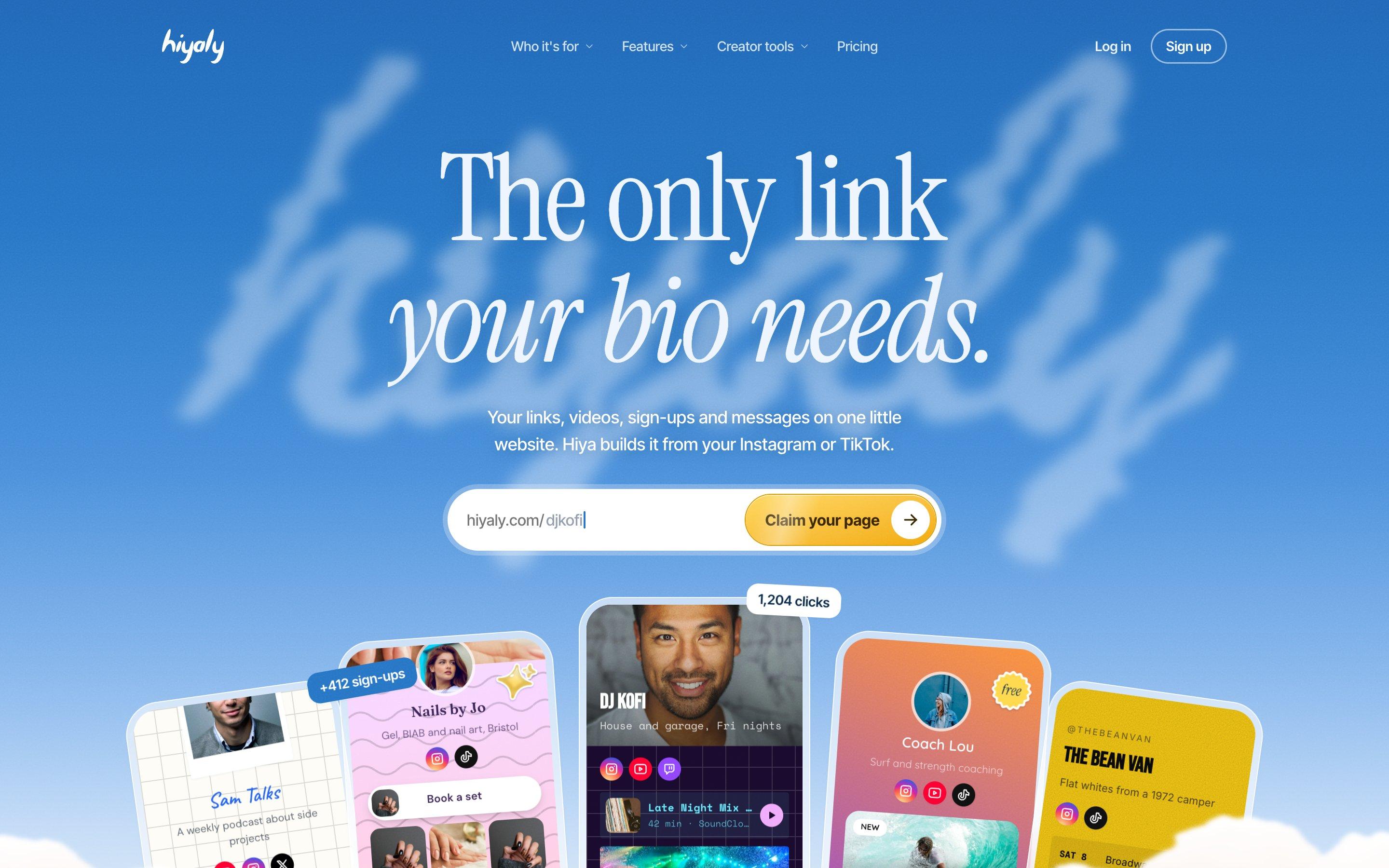
On Hiyaly you start with a short chat. Tell Hiya where you post (Instagram, TikTok, YouTube or X) and it brings in your photo, bio and the links you share there. It writes a bio if you need one, then shows your page in a few starter themes, with its own pick first. Nothing is posted to your accounts.
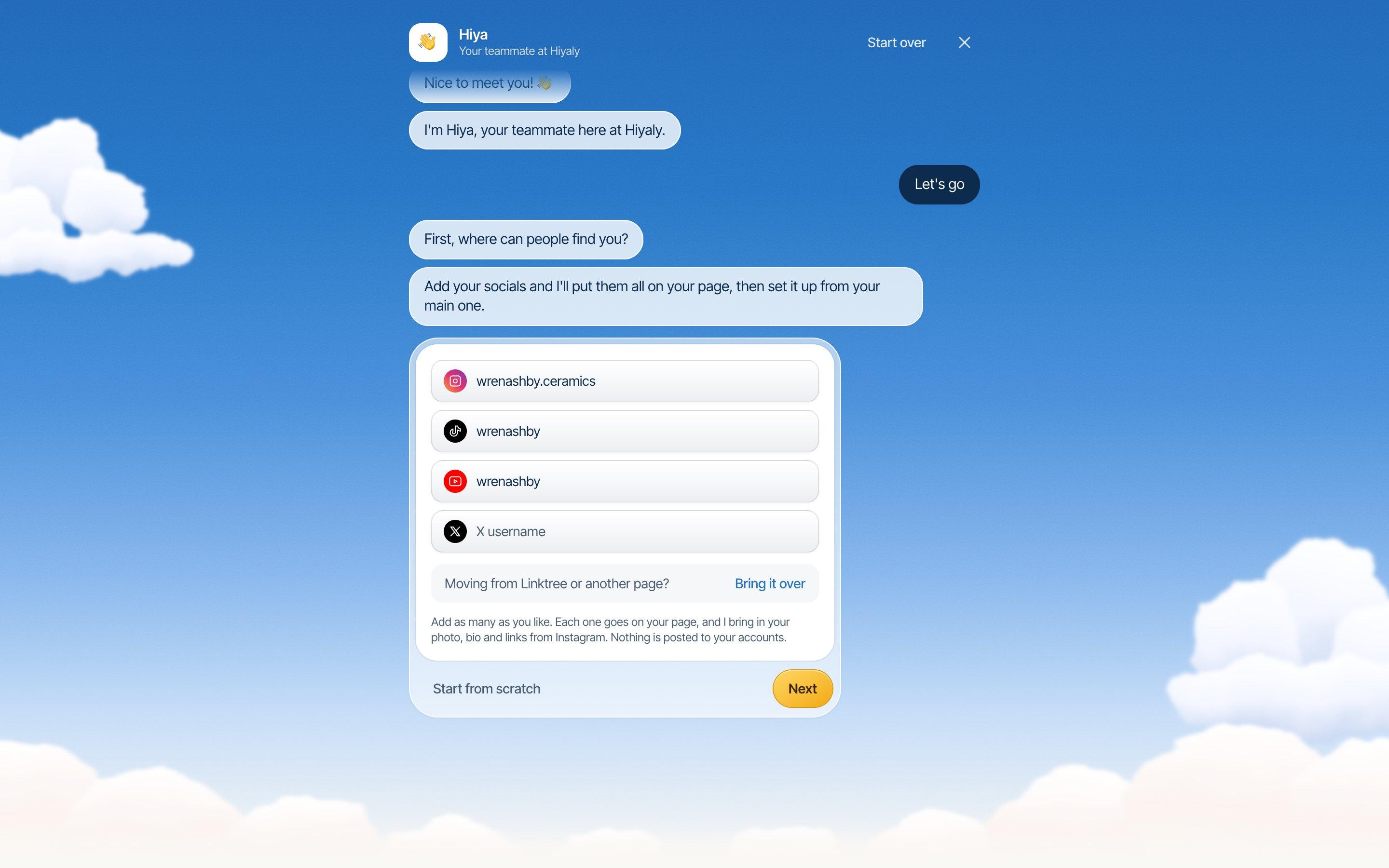
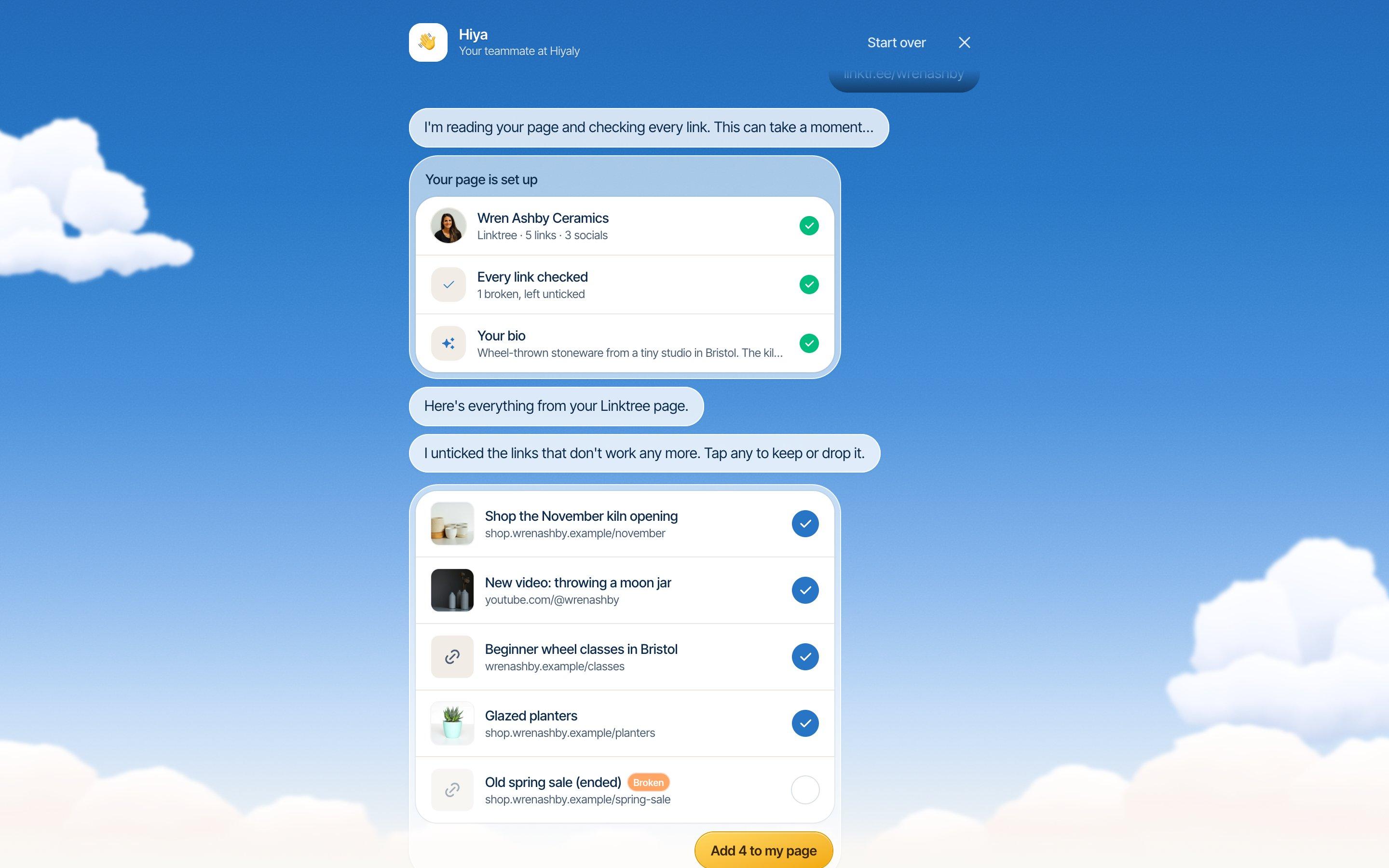
Already on Linktree? Choose Bring it over and paste your linktr.ee address. Hiya reads your page and brings over your photo, bio, social icons and up to 30 links. Links that no longer work start unticked, and big pages are sorted into groups like Music, Watch and Shop so you can keep or drop a whole group at once. We don't copy Linktree's look. We pick the closest Hiyaly theme to your old background, so it feels familiar without being a reskin.
Adding links and blocks
Both tools do the basics well: links, headers, social icons, scheduled links, short links and a QR code. Linktree's big strength here is its long list of link apps and integrations for music, events and social posts. If your page leans on something like a music pre-save or a ticketing app, check it's covered before you move.
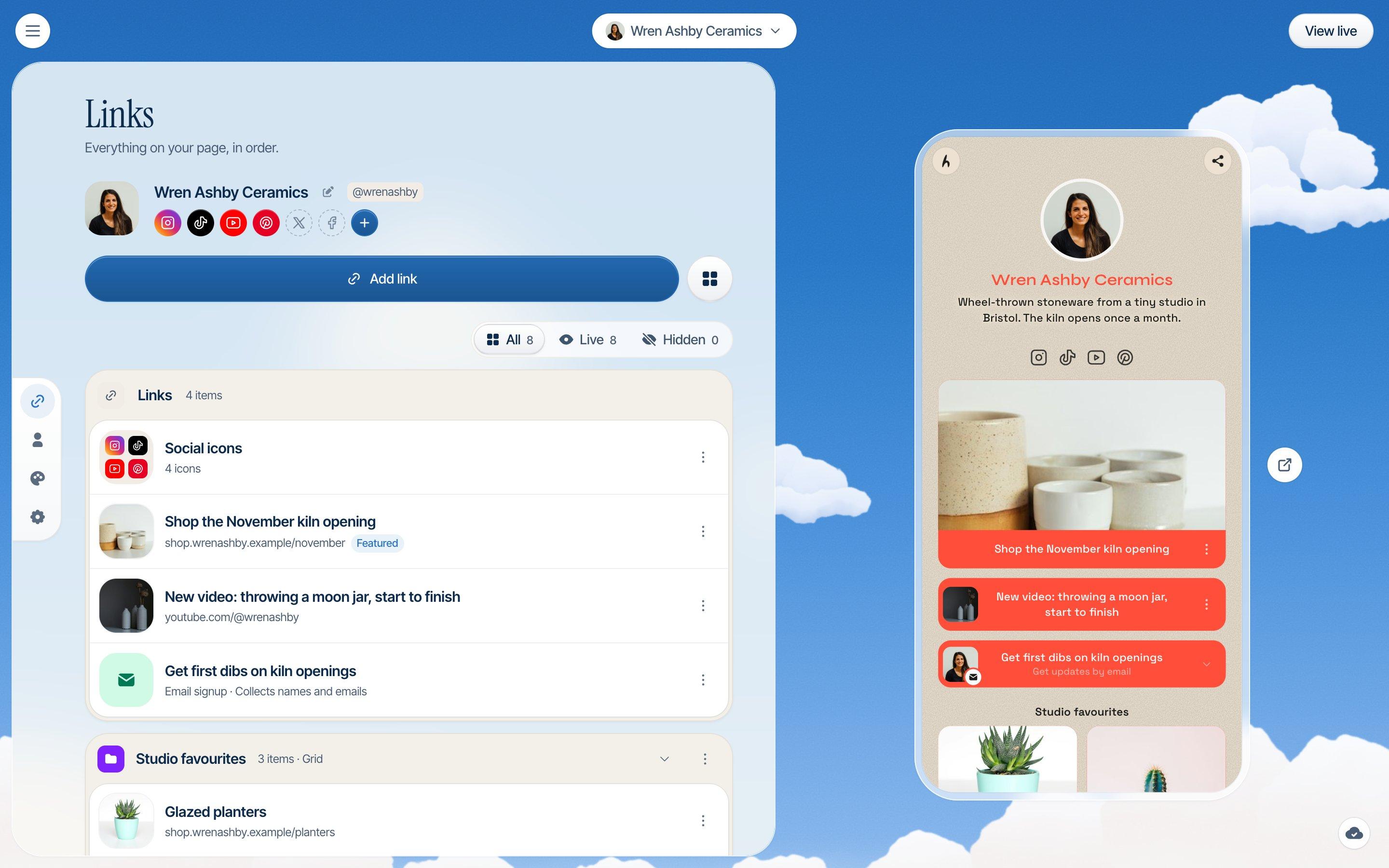
On Hiyaly, a page is made of blocks. Links, collections, videos that play on the page (YouTube, Vimeo and TikTok), an email sign-up, a shop, bookings and messages from visitors are all blocks you drag into place. Every block is included in Pro, so there's no "upgrade to use this" halfway through building.
Making it look like you
Linktree gives you its core themes for free. Wallpapers, advanced themes and hiding the logo come with its paid plans.
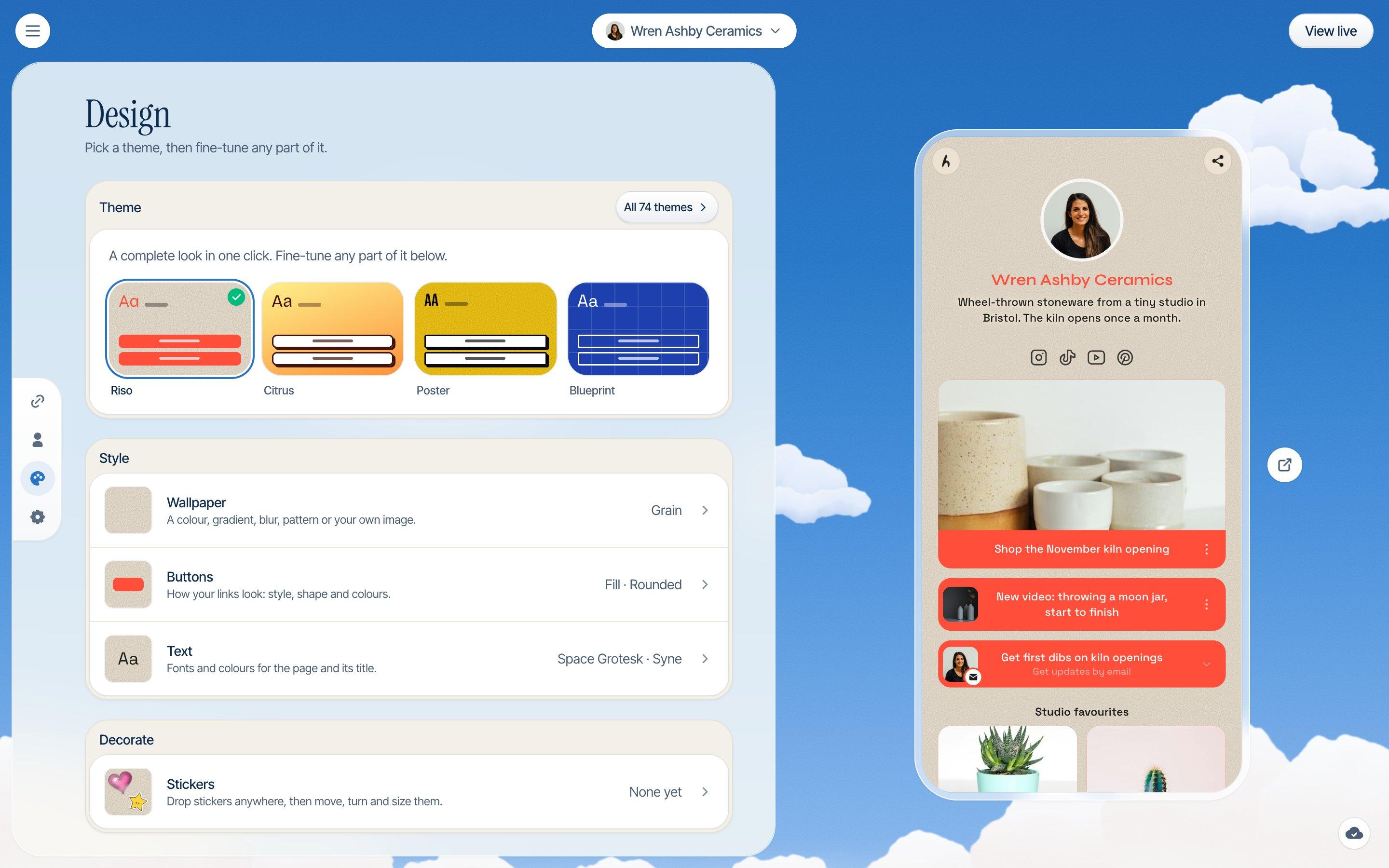
Hiyaly has over 70 themes, 30 fonts and packs of stickers you can place anywhere on the page, plus image and video wallpapers. You can make your main link wiggle so it stands out. We'll admit this is the part we enjoy most. A link page doesn't have to be a stack of identical buttons.
Getting paid
This is where Linktree does more. On its Pro and Premium plans you can sell digital products and courses and take paid bookings. Selling paid digital products needs Pro or Premium. Linktree's own fee on sales depends on your plan (its pricing page has the table), and Stripe's processing comes on top.
Hiyaly sells downloads and tips, and takes paid bookings through your Google Calendar with a Google Meet link. Everything is charged through your own Stripe account at 0% Hiyaly fees, so Stripe's standard processing is the only cost. We don't host courses or physical products. If you sell those, you link to your course platform or Shopify from your page.
So if you sell a course, Linktree Pro handles that checkout for you. If you sell presets, ebooks, tips or calls, both can, and Hiyaly does it on its one $8 plan.
Growing an email list
Both let visitors sign up with their email. Linktree includes sign-ups on its free plan, and sends them to tools like Mailchimp, Kit and Klaviyo on Pro.
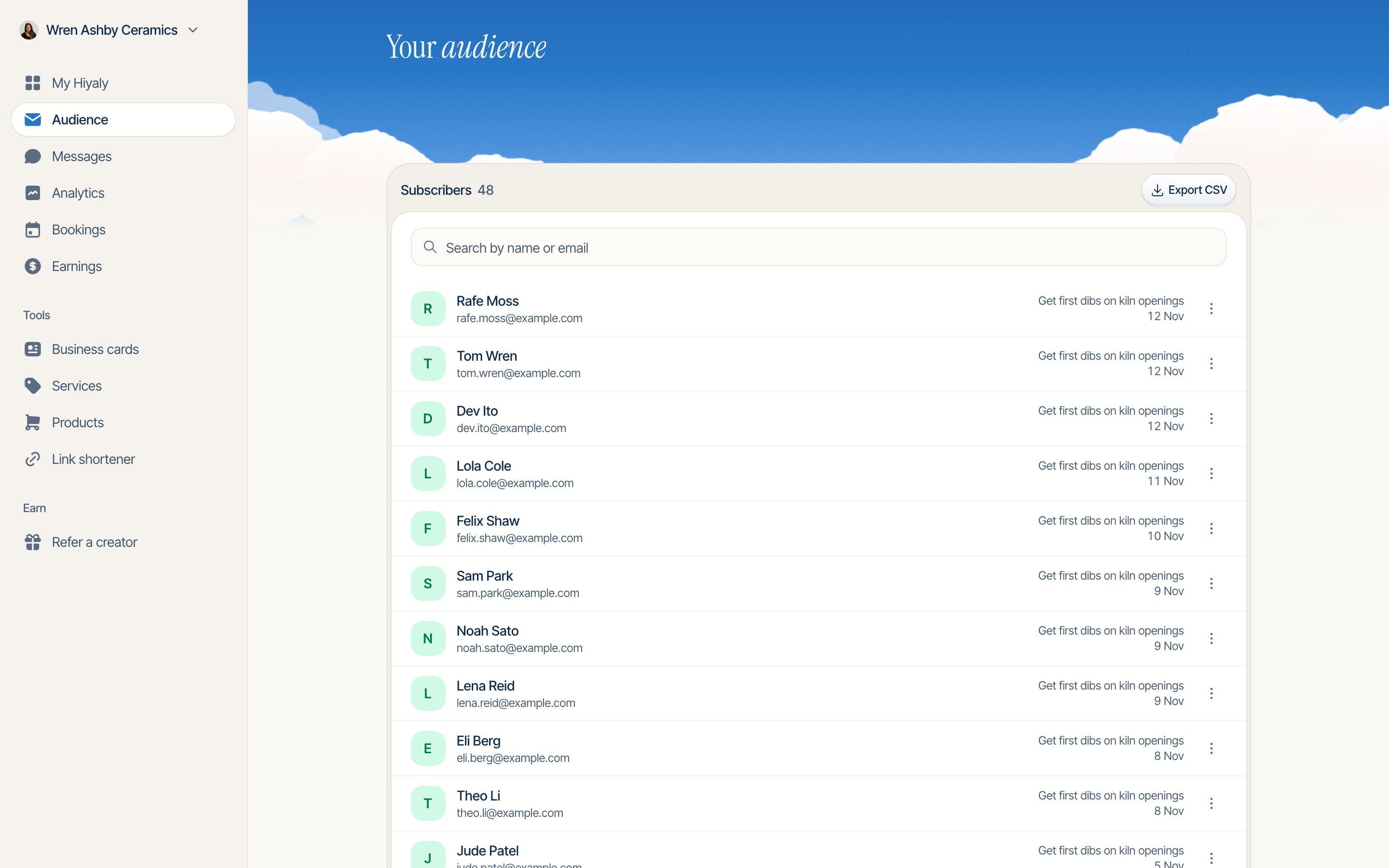
On Hiyaly, sign-ups land in your Audience, where you can search them and export a CSV whenever you like. You can also connect Mailchimp, Klaviyo, Kit, beehiiv, Flodesk or Google Sheets so new sign-ups go straight there. Visitors can also send you a message from your page, which lands in your Messages.
Analytics
Linktree's stats depend on the plan: 28 days on Free, 90 on Starter, a year on Pro and all time on Premium. If you want to look back over years of clicks, Linktree Premium is the one.
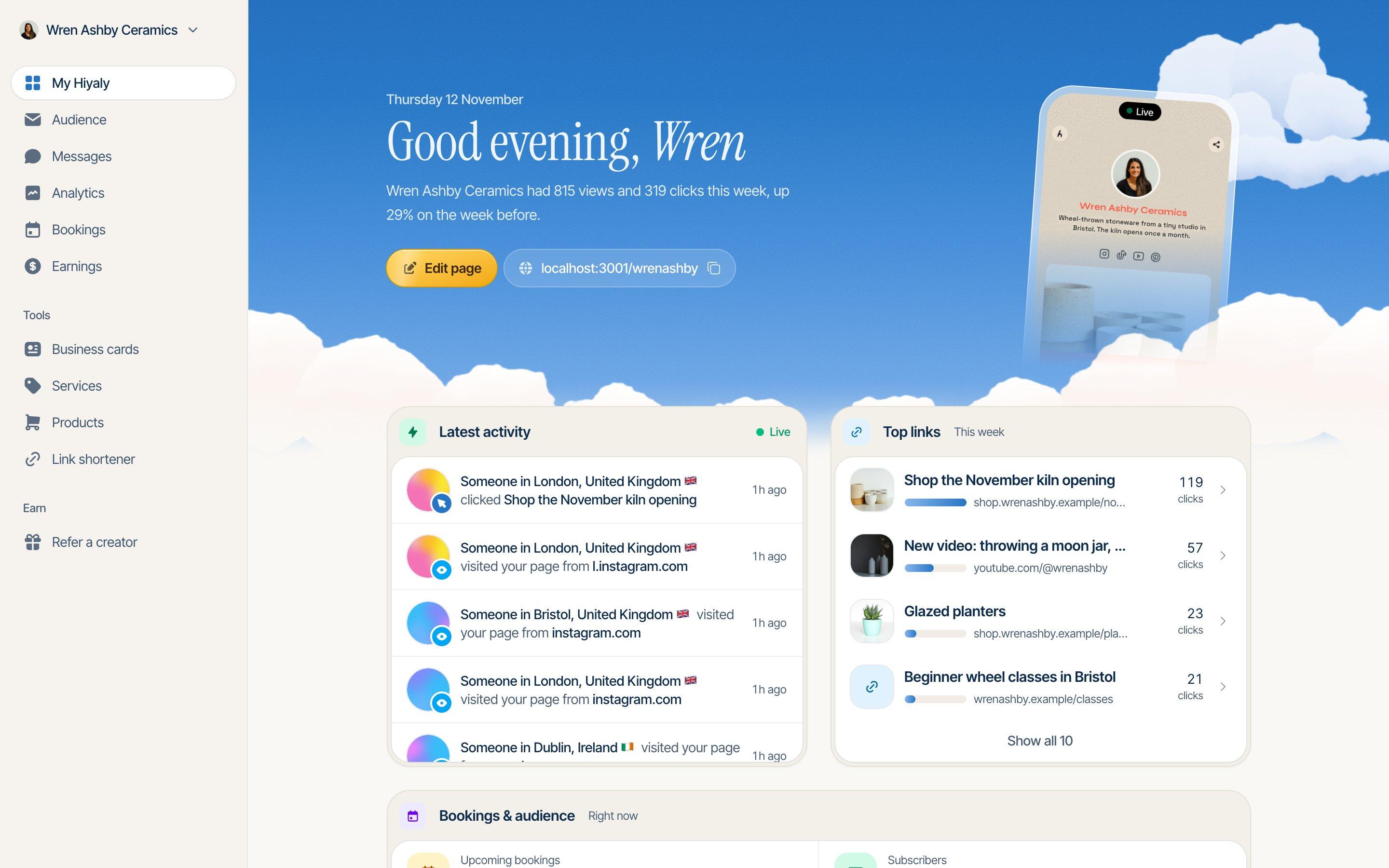
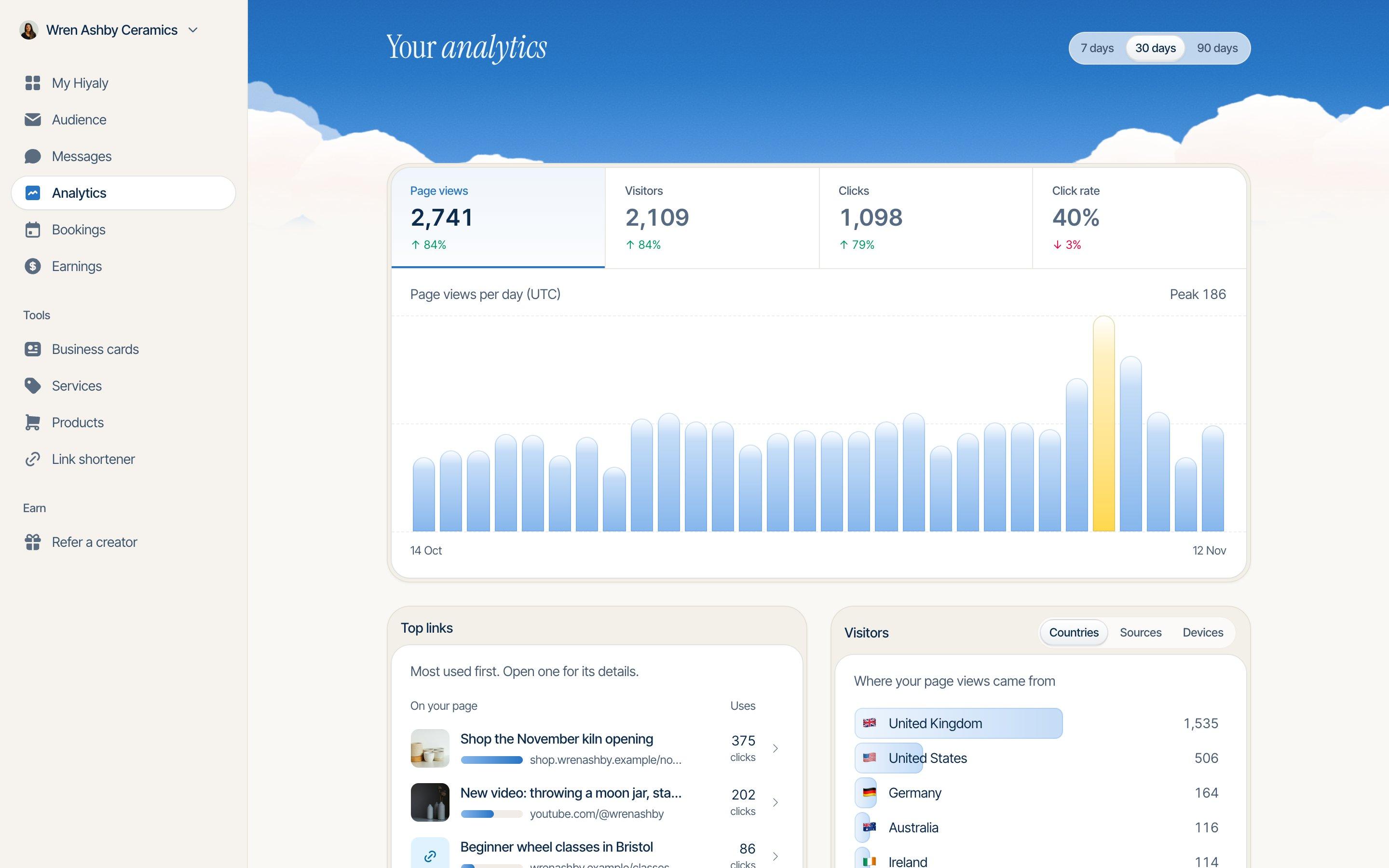
Hiyaly Pro shows the last 90 days: page views, visitors, clicks and click rate, your top links, and where visitors come from by country, source and device. You can also open any single link to see its own numbers. For most people deciding what to keep on their page, 90 days is plenty. For long-range reporting, it isn't, and we'd rather say so.
Your own domain
When we checked, Linktree didn't list custom domains on its pricing page. Your page lives at linktr.ee/you, which is fine until you want to move, and then every bio, QR code and printed card points somewhere you don't control.
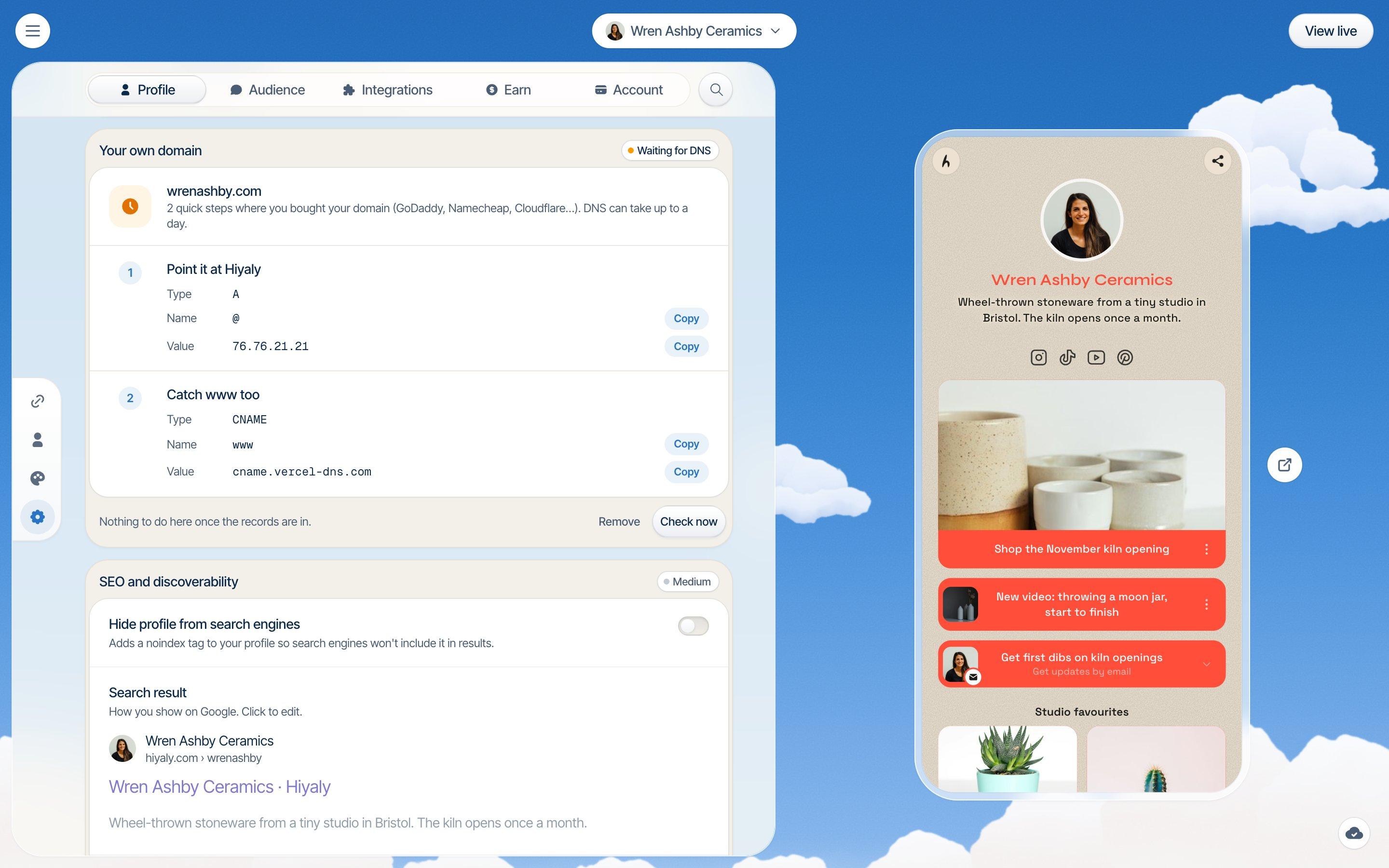
On Hiyaly, your own domain is part of Pro. Connect something like jo.com or links.jo.com from your page's settings, add the DNS records we show you, and your page works there with HTTPS. Your hiyaly.com address keeps working too. The point isn't only that it looks tidier. If you ever leave us, your link goes with you.
Billing and cancelling
Linktree has four plans: Free, then Starter at $9 a month ($7 billed yearly), Pro at $17 ($14 billed yearly) and Premium at $35 ($30 billed yearly). Prices can vary by country, so check their pricing page for yours. Common complaints in reviews are renewals people didn't expect and cancelling being harder to find than signing up.
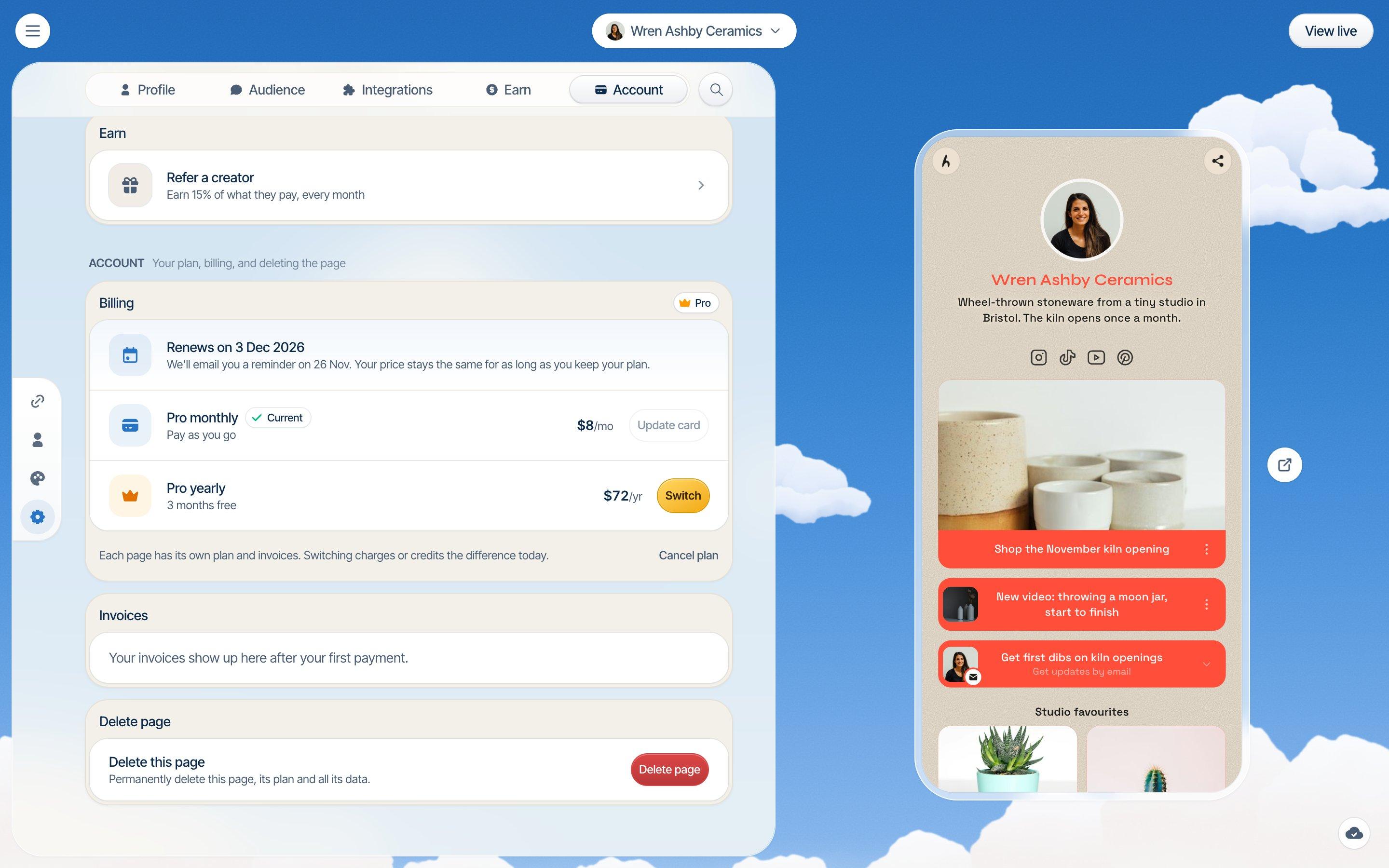
Hiyaly has one plan, Pro, at $8 a month or $72 a year, which works out at $6 a month. It includes everything. The first 14 days are free, monthly or yearly, and we don't ask for a card to start. One thing to know: Hiyaly is priced per page, so two pages on Pro cost twice as much.
Your page's billing settings show your next charge and its date, or when your trial or plan ends. Stripe emails you 7 days before a renewal. Invoices are there to download as PDFs. To cancel, click Cancel plan and confirm. You won't be charged again, and your page stays live until the end of what you've paid for. If a plan ends, nothing is deleted: your links, design and audience wait for you if you come back.
Support and takedowns
Linktree is a big company with a big help centre, and priority support is part of its Premium plan. Slow or automated replies are another common complaint in reviews.
At Hiyaly, if you email hi@hiyaly.com, one of the people who build Hiyaly reads it and writes back. The same goes for moderation. If a page breaks our terms, a person looks at it, not just an algorithm. Unless the law or someone's safety stops us, we tell you what we did, why, and how to ask us to look again. Verified badges work the same way: a person checks every request.
Leaving, either way
Leaving Linktree for Hiyaly takes a few minutes with Bring it over. Keep your Linktree page up for a while after, so old posts and printed QR codes still land somewhere. The switching guide covers every place to swap your link.
Leaving Hiyaly should be just as easy. Export your sign-ups and orders as CSVs, download your invoices, and point your own domain wherever you go next. You can delete a page or your whole account from your settings. And if we ever shut Hiyaly down, our terms promise at least 90 days' notice and a way to take your content with you.
Where Linktree wins
We'd rather you pick the right tool than pick us and regret it. Linktree is the better choice if:
- You need a free page. Linktree's free plan publishes a page with unlimited links and costs nothing. Hiyaly has a trial, then a price.
- You want the name people know. Everyone recognises a linktr.ee link. That counts for something.
- You rely on its link apps. Its integrations list is much longer than ours.
- You sell courses. Linktree Pro has course checkout built in. We don't.
- You want years of stats. Premium keeps analytics for all time. We keep 90 days.
Which should you pick?
Stay on Linktree if free matters most, if you sell courses from your page, or if your page depends on one of its link apps. It's a solid tool, and there's no shame in the default.
Pick Hiyaly if you want no logo, your own domain and every feature for $8 a month. Pick it if you'd rather Hiya build your page from your socials, or from your Linktree, than start from an empty list. And pick it if the things that matter most to you are a bill you can see, a cancel button you can find, and a person on the other end when something goes wrong.
The easiest way to decide is to try it. Paste your linktr.ee address, see what Hiya builds, and only pick a plan if you like it. See pricing for the details, or the full comparison for every feature side by side.
Bring your Linktreeover in a minute.
Go live free for 14 days, no card needed. Then $8 a month, or $72 a year.
Frequently asked questions
Is Hiyaly cheaper than Linktree?
For a page without the Linktree logo, yes. Hiyaly Pro is $8 a month or $72 a year per page. Linktree Pro, the plan that hides its logo, is $17 a month or $14 a month billed yearly. If you only need a free page, Linktree is cheaper, because Hiyaly has no free plan.
Does Hiyaly have a free plan?
No. There's a 14-day free trial on monthly or yearly, with no card needed, and you can build and preview your whole page before that. After the trial it's $8 a month or $72 a year per page.
Can I bring my Linktree page over to Hiyaly?
Yes. When you sign up, choose Bring it over and paste your linktr.ee address. Hiya reads your page and brings over your photo, bio, social icons and up to 30 links, then suggests the closest Hiyaly theme to your old background. You tick the links you want to keep.
Is Linktree worth paying for?
It can be, if you use its link apps, sell courses from your page or want all-time analytics on Premium. If you mainly want no logo, your own domain and a smaller bill, Hiyaly Pro covers that for $8 a month.
Can I use my own domain with Hiyaly?
Yes, it's part of Pro. Connect a domain you own, like jo.com or links.jo.com, from your page's settings. Your hiyaly.com address keeps working too.
Does Hiyaly take a cut of my sales?
No. Downloads, tips and paid bookings are charged through your own Stripe account at 0% Hiyaly fees. Stripe's standard processing is the only cost.